.png)
How to Launch an Online Store for eCommerce Success


Building a successful online store is rarely as simple as picking a product and hoping for the best. For ambitious entrepreneurs in the UK and Ireland, the difference between thriving and struggling often comes down to how well you define your store concept and understand your audience. Focusing on customer-specific targeting through segmentation lays the foundation for smart decisions and higher sales. This guide walks you through the crucial steps to launching your eCommerce venture, from shaping your niche to implementing proven strategies.
Table of Contents
Quick Summary
Key Point | Explanation |
1. Define your store concept carefully | Articulate what problems your store solves and how you differentiate from competitors to guide all future decisions effectively. |
2. Understand your target audience deeply | Conduct genuine research to create detailed buyer personas, shaping marketing strategies and product offerings to resonate with customers. |
3. Choose the right eCommerce platform | Evaluate platforms based on your business model, scalability, ease of use, and budget to ensure long-term operational success. |
4. Focus on conversion-centric design | Create a straightforward, inviting store layout that guides visitors towards making purchases without confusion or obstacles. |
5. Test everything thoroughly before launch | Map the complete customer journey and fix any problems encountered to prevent frustrating experiences for your first customers. |
Step 1: Define your online store concept and target audience
Before you build your website, invest time in understanding exactly who you’re selling to and what makes your store different. This foundational work determines everything that comes next, from your product selection to your marketing strategy. Getting this right now saves you from costly pivots later.
Start by articulating your store concept. What problems does your business solve? Are you selling sustainable fashion, niche tech gadgets, handmade jewellery, or something else entirely? Be specific. Vague ideas like “online retail shop” won’t guide your decisions effectively. Your concept should answer why your store exists and what gap it fills in the market. Consider whether you’re pursuing premium positioning, value pricing, or something niche. Think about your supply chain too. Will you hold inventory, use dropshipping, or print-on-demand? These operational decisions shape everything else.
Next comes understanding your customers. This requires genuine research, not assumptions. Collect demographic, behavioural, and motivational data about who you want to reach. Know their age, gender, occupation, lifestyle, and purchasing habits. What problems keep them awake at night? What online content do they consume? How do they prefer to shop? Rather than trying to appeal to everyone, customer-specific targeting through segmentation is where real success happens. Mass marketing is dead. Targeting specific customer segments lets you craft messages that genuinely resonate.
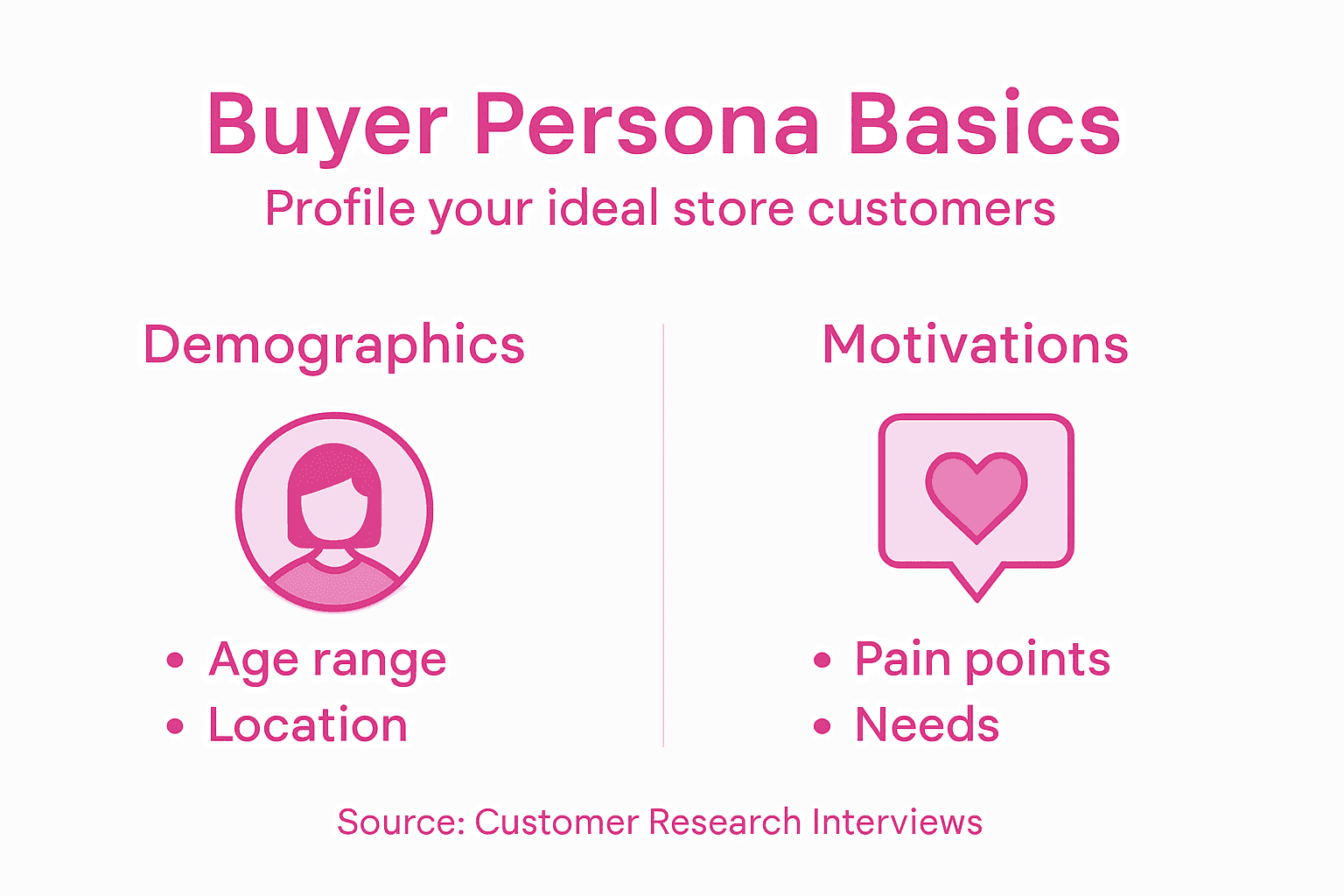
Build detailed buyer personas for your primary customer groups. If you sell eco-friendly home products, one persona might be “Sustainable Sarah,” a 32-year-old marketing professional who earns £45,000 annually, reads environmental blogs, and feels guilty about her plastic consumption. Another might be “Conscious Parent,” aged 38, with two children, concerned about toxins in household items. These personas aren’t fantasies. They’re based on real data about who already buys similar products. You can discover this data through competitor analysis, customer interviews, social media research, and industry reports.
Document your findings. Create a simple one-page profile for each major customer segment. Include pain points, motivations, shopping behaviours, and where they spend time online. This becomes your reference point throughout launching and running your store. When you’re deciding whether to add a product line or choosing how to write product descriptions, you’ll return to these personas. They keep your business aligned with what your customers actually want, not what you think they want.
Don’t underestimate this step because it feels theoretical. The businesses that gain genuine eCommerce success invest heavily here. You’re not just defining a business. You’re building a customer-centric operation from day one.
Pro tip: Interview 10 to 15 potential customers before finalizing your concept. Ask them directly about their frustrations, price sensitivity, and purchasing triggers. This real-world feedback is worth more than any market research report and takes only a few hours to gather.
Step 2: Choose and set up the best eCommerce platform
Selecting the right platform is where your store concept meets reality. Your choice here affects everything from daily operations to your ability to scale. This isn’t just about picking the most popular option. It’s about finding what works for your specific business model, budget, and technical comfort level.
Start by clarifying your business model because different platforms excel at different approaches. Are you running Business to Consumer (B2C) where you sell directly to shoppers? Perhaps you’re doing Business to Business (B2B) selling to other companies in bulk. Maybe you’re enabling Consumer to Consumer (C2C) transactions like a marketplace. Each model has different technical requirements. A B2C brand selling handmade ceramics needs different features than a B2B supplier managing wholesale orders. Different eCommerce platforms for UK entrepreneurs serve different purposes, so understanding your model first narrows your choices dramatically.
When evaluating platforms, assess several critical factors that determine your day-to-day experience. Ease of use matters enormously, especially if you’re not hiring a developer. Can you manage products, handle orders, and track inventory without writing code? Test the admin dashboard. Does it feel intuitive? Next, consider customisation options, payment integrations, and shipping capabilities because these directly impact your flexibility. You need to accept the payment methods your customers prefer, whether that’s credit cards, PayPal, Apple Pay, or newer options like buy now pay later services. Shipping integration matters too. Can the platform connect with Royal Mail, DHL, and courier services you actually use in the UK and Ireland? Will it automatically calculate shipping costs and generate labels?
Security and mobile optimisation aren’t negotiable in 2024. Your platform must protect customer data with SSL certificates and PCI compliance. Mobile optimisation is non-negotiable because roughly 60 percent of eCommerce traffic comes from phones. If your store looks terrible on mobile or loads slowly, customers abandon their carts instantly. Test this yourself before committing. Open the platform’s demo store on your phone and try purchasing something. How does it feel?
Scalability determines your platform’s lifespan. Can it handle growth from 100 monthly visitors to 10,000 without crashing? Can you add new product categories, run promotions, or list thousands of items without hitting limitations? This seems premature when you’re just launching, but choosing a platform that grows with you saves expensive migrations later. Consider whether you’ll need advanced features eventually like subscription products, digital downloads, or international expansion.
Budget constraints are real. Some platforms charge monthly fees, transaction fees, or both. Shopify costs roughly £29 monthly plus 2.9 percent plus 30p per transaction. WooCommerce is free software but requires hosting you pay for separately, typically £5 to £20 monthly. Squarespace charges £18 to £33 monthly. Calculate your likely transaction volume and compare total costs, not just base fees. A platform saving you £10 monthly means nothing if you’re paying 5 percent extra per transaction on thousands of sales.
Here is a comparison of popular eCommerce platforms and their key business impacts:
Platform | Typical Costs | Unique Business Impact | Scalability Potential |
Shopify | £29/month + 2.9% fee | Fast setup, excellent support | Very high, suited for growth |
WooCommerce | £5–£20/month hosting | Complete flexibility, open source | High, customisable and robust |
Squarespace | £18–£33/month | Strong design, beginner-friendly | Moderate, mostly for smaller shops |
Once you’ve selected your platform, the setup process follows a logical sequence. Register your domain name first. This is your store’s address. Keep it simple, memorable, and ideally under 20 characters. Add your branding, upload your logo, and configure basic settings. Connect your payment processor next. Test transactions thoroughly with small amounts before launching. Set up shipping zones and rates, then import your product catalogue with descriptions, images, and prices. Most platforms offer migration tools if you’re moving from another system.
Pro tip: Use your platform’s free trial period to fully test operations with dummy products before committing financially. Many UK entrepreneurs skip this and regret it when they discover missing features three months in. Spend a week actually managing inventory, processing orders, and viewing your store from a customer’s perspective to catch problems early.
Step 3: Design and optimise your store for conversions
Your store’s design directly determines whether visitors become customers or leave without buying anything. A beautiful website that confuses shoppers converts poorly. A straightforward website that guides people toward purchase converts well. This step focuses on building the second type of store.
Start with your homepage because it’s your first impression. The moment someone lands on your store, they should immediately understand what you sell and why they should care. Your brand identity needs to be crystal clear through your logo, colours, and messaging. Feature your best-selling or most profitable products prominently, not buried three pages deep. Include a clear call to action, ideally above the fold. That might be “Shop Now,” “Browse Our Collection,” or “Start Your Free Trial.” The action should feel inviting, not pushy.
Conversion-centred design works by guiding customers toward a single desired action at each point. Your product page shouldn’t overwhelm visitors with 50 options. Instead, use structured content flow that answers questions in sequence. What is this product? Why would I want it? How much does it cost? What do other customers think? Can I buy it right now? Each section should lead naturally to the next. Use colour psychology strategically. Warm colours like orange and red create urgency and work well for calls to action. Blue and green feel trustworthy and calm. Consistency matters enormously. Use the same fonts, spacing, and button styles throughout your store so customers feel orientated.
Designing high-quality product images that showcase benefits rather than just display products increases buying confidence dramatically. Show the product from multiple angles. Include lifestyle shots of someone using it. Add close-ups if relevant. Avoid tiny images that customers can’t actually see. White space around your images matters too. Cramped layouts feel overwhelming and chaotic. Generous spacing creates breathing room and directs attention where you want it.

Checkout friction is conversion poison. Every extra step, every unexpected question, every mandatory field causes some customers to abandon. Simplify your checkout to the absolute minimum. Ask only for information you genuinely need. Offer guest checkout so people don’t have to create accounts. Show a progress bar so customers know they’re not on step 20 of 50. Display security signals prominently near payment information. Show your SSL certificate, trust badges, and security guarantees. Many UK shoppers specifically look for these signals before entering payment details.
Social proof is your secret conversion weapon. Customer reviews matter more than anything you can write about your own products. Include verified customer reviews and ratings throughout your store. Show them on product pages, your homepage, and in your footer. Display user-generated content like customer photos if you can. Consider adding a reviews section showing your latest feedback. When people see that others have bought from you and loved the experience, their buying confidence jumps dramatically.
Test everything before launch and continuously afterwards. Use your platform’s analytics to track where visitors come from, what they click, and where they drop off. If 80 percent of visitors leave from your checkout page, something’s wrong with that process. If nobody clicks on a product section, maybe your category naming is confusing. Small design changes often yield surprising results. Moving a call-to-action button from the side to directly above the product image might increase conversions by 15 percent. You won’t know until you test.
Optimisation extends to mobile devices since more than half your traffic probably comes from phones and tablets. Test your store thoroughly on actual mobile devices, not just by resizing your browser. Can you easily navigate with your thumb? Can you read product descriptions without zooming in? Does checkout work smoothly on a phone? Many entrepreneurs overlook mobile completely and lose substantial sales.
Pro tip: Create a simple checklist of your highest-converting pages and review their design quarterly. Copy elements that work well into underperforming pages. If your product pages convert at 3 percent but your promotional landing pages convert at 5 percent, analyse what’s different and replicate those elements across your store.
Step 4: Integrate SEO and digital marketing strategies
Launching a store without SEO and digital marketing is like opening a shop in the middle of nowhere and hoping people find you. Traffic doesn’t arrive by accident. You need a deliberate strategy to get people through your digital door. This step connects your beautiful store to actual customers through search engines and marketing channels.
Start with SEO because it’s the foundation of sustainable traffic. When someone searches “sustainable clothing UK” or “handmade leather bags,” you want your store showing up on page one. This happens through careful keyword selection, on-page optimisation, and technical improvements. Begin by researching keywords your target customers actually use. Tools like Google Keyword Planner, Ahrefs, and SEMrush show search volume and competition. Look for keywords with decent search volume but reasonable competition. “Sustainable clothing” might get 5,000 searches monthly but face competition from major retailers. “Sustainable workwear for women UK” might get 200 searches monthly but have far less competition. Target the second type. Optimise your product pages around these keywords by including them naturally in titles, descriptions, and headings. Write for humans first, search engines second. If your keyword inclusion sounds robotic, rewrite it.
Technical SEO matters equally. Your site speed directly affects search rankings and user experience. Pages loading in under three seconds convert better than slower alternatives. Compress images, use a content delivery network, and clean up your code. Mobile usability is non-negotiable because Google ranks mobile versions higher than desktop versions now. Test your store on actual phones to confirm everything works smoothly. Your site structure should be logical with clear categories and subcategories. Each product should have a unique description, not copy-pasted manufacturer text. SEO enhancements including keyword optimisation, site speed, and mobile usability drive organic traffic growth that compounds over time.
Beyond SEO, your digital marketing strategy should span multiple channels. Social media engagement reaches your audience where they already spend time. Instagram works brilliantly for visual products like fashion or home goods. LinkedIn suits B2B businesses. TikTok reaches younger audiences. Post consistently, engage with comments, and use relevant hashtags. Email campaigns nurture existing customers and drive repeat purchases. Capture emails through lead magnets like discount codes or free guides. Send regular newsletters with product updates, tips, and special offers. The businesses that combine SEO with email marketing see substantially better customer acquisition and retention.
Content marketing deserves serious attention. Create blog posts answering questions your customers actually ask. If you sell eco-friendly products, write about “How to reduce plastic waste in your home” or “Benefits of sustainable materials.” These posts attract organic traffic while establishing your expertise. Each post should link back to relevant products naturally. This isn’t heavy-handed selling. It’s genuine helpfulness that builds trust and eventually drives conversions.
Consider paid advertising as you scale. Google Ads puts your products in front of people actively searching for what you sell. Facebook and Instagram ads let you target specific demographics and interests. Start small with tight budgets, test different ad variations, and scale what works. Track everything through Google Analytics and your platform’s built-in analytics. Know your customer acquisition cost. If you spend £5 acquiring a customer who spends £20, that’s profitable. If you spend £20 acquiring a customer who spends £20, that’s breakeven.
Multiple digital marketing tactics including social media, content marketing, and email campaigns work together to create a comprehensive growth engine. One channel alone rarely generates sufficient momentum. The combination amplifies results. An SEO article drives organic traffic. That traffic converts some visitors to email subscribers. Email campaigns drive repeat purchases. Paid ads accelerate growth while you build organic channels.
Monitor your progress religiously. Check Google Search Console to see which keywords drive traffic and where you rank. Review Google Analytics to understand visitor behaviour. Track conversion rates by traffic source. Adjust constantly. Marketing isn’t a set-and-forget exercise. It’s continuous optimisation.
The following table summarises the core SEO and digital marketing channels for online stores and their typical roles:
Channel | Main Objective | Best Use Case | Key Benefit |
SEO | Organic traffic growth | Long-term discovery | Sustained visitor increase |
Social Media | Brand awareness | Visual products, communities | Instant engagement boost |
Email Campaigns | Drive repeat purchases | Promotions, loyalty nurturing | Affordable retention |
Paid Advertising | Rapid customer acquisition | Product launches, scaling | Immediate sales |
Pro tip: Focus on SEO first because it takes three to six months to generate meaningful traffic. While building organic visibility, run targeted paid campaigns to generate immediate sales and validate your product market fit. This hybrid approach gets you revenue today whilst building long-term traffic sources for tomorrow.
Step 5: Test your store before going live
Launching without testing is like driving a car without checking the brakes. You might get lucky, or you might crash spectacularly. Thorough testing catches problems when only you can see them, not when your first customers do. This step prevents embarrassing failures and lost sales.
Begin by mapping the complete customer journey from arrival to purchase confirmation. Start as a visitor landing on your homepage. Can you easily find what you’re looking for? Is navigation intuitive? Click through to a product page. Are images loading properly? Can you read descriptions without confusion? Add items to your cart. Does the cart update correctly? Remove items. Does the total recalculate? Now attempt checkout. This is where most problems hide. Can you proceed without creating an account? Do all form fields work? Can you enter your address properly? Does the postcode lookup function work if you have one? When you reach payment, test thoroughly but safely. Use your payment processor’s sandbox or test mode with fake card numbers they provide. Complete a full transaction. Did you receive a confirmation email? Can you view your order in your account? These seemingly small details determine whether customers return or leave frustrated.
Testing product listings, cart functionality, and checkout procedures across different browsers and devices reveals compatibility issues before launch. Open your store in Chrome, Firefox, Safari, and Edge on both Windows and Mac. Things that work perfectly in Chrome sometimes break in Firefox. Test on actual mobile devices, not just by resizing your desktop browser. Buy a cheap Android tablet if you don’t have one. Borrow an iPhone from a friend. Real devices behave differently than simulated mobile views. Check that your store loads properly on weak internet connections. Use your browser’s developer tools to throttle connection speed and see how pages perform. Many customers in rural areas have slower connections. Your store should work acceptably for them.
Payment gateway integration deserves particular attention because payment failures directly kill sales. Test every payment method you advertise. If you accept credit cards, test Visa, Mastercard, and American Express. Test PayPal. Test Apple Pay on iPhones. Test Google Pay on Android devices. Check that declined payments display helpful error messages, not cryptic codes. Verify that successful payments appear in your merchant account immediately. Check that inventory decreases automatically when orders arrive. Some entrepreneurs miss this and oversell products they no longer have.
Search functionality matters more than you realise. If someone searches for “blue trainers size 10,” do they find what they’re looking for? Test searches for product names, categories, colours, and sizes. Test misspellings. If someone types “trayners,” should autocorrect help them? Test edge cases like searching for nothing or searching for products you don’t sell.
Performance testing ensures your store handles traffic without crashing. Use free tools like Google PageSpeed Insights to check page load times. Aim for pages loading in under three seconds. Check your hosting provider’s traffic limits. If you get featured in a major publication and traffic spikes 500 percent, will your store stay online? Many entrepreneurs choose cheap hosting, then watch their store crash during their biggest sales moments.
Security testing protects both you and your customers. Ensure your SSL certificate is installed correctly. Visitors should see a padlock icon in their browser address bar. Your payment pages should use HTTPS, not HTTP. Check that customer data doesn’t display in search results or browser caches. Test that passwords are stored securely. Never store full credit card numbers on your own servers. Your payment processor should handle that.
Cross-browser compatibility and localization matter if you’re selling internationally. If you’re targeting UK customers, make sure prices display in pounds, not dollars. Make sure shipping calculations work for UK postcodes. If you’re eventually expanding to Europe, test with European addresses to ensure your systems handle them.
Use a staging environment for all this testing. This is a copy of your store that nobody else can see. Make all your test orders here, not on your live store. This keeps your analytics clean and prevents confusing customers with test transactions.
Document everything you test and everything you find. Create a simple spreadsheet listing each test, when you tested it, and whether it passed. When you find problems, don’t just note them. Fix them, then retest to confirm the fix works.
Ask trusted friends or family to test your store without instruction. Watch them attempt to buy something. Where do they get confused? Where do they struggle? Their feedback is gold because they represent real customers navigating your store for the first time.
Pro tip: Create a test checklist covering homepage navigation, product browsing, cart management, checkout, payment processing, and order confirmation. Before going live, invite three people outside your business to test your store without any guidance and ask them to note every point of confusion. Their real-world feedback often reveals problems you missed because you know your store too well.
Elevate Your Online Store with Expert Digital Marketing Support
Launching an online store comes with many challenges from choosing the right eCommerce platform to perfecting your SEO and social media strategy. This article highlights critical pain points such as optimising for mobile users, simplifying checkout processes, and targeting specific customer segments through meticulous research. If you find yourself overwhelmed by these essential steps or want to fast-track your eCommerce success, partnering with experts can transform your vision into revenue.
We bring over 25 years of experience scaling thriving eCommerce brands, specialising in SEO, AI-driven marketing, social media, and PPC tailored for online stores. Our proven strategies ensure your store stands out in competitive marketplaces while driving qualified traffic and increasing conversions. Discover how to overcome common hurdles like driving organic traffic and managing paid advertising efficiently by exploring our comprehensive solutions at iwanttobeseen.online.

Ready to build a customer-centric store that converts visitors into loyal buyers? Visit our landing page now to learn how our digital marketing services can support every stage of your eCommerce journey. Start growing your online brand today and never miss out on valuable sales opportunities. Your success story begins with a single step.
Frequently Asked Questions
How do I define my online store concept?
Start by clearly articulating what problems your store solves and what makes it unique. Write down the specific products you’ll offer and consider your target audience’s preferences to create a focused concept that guides your decisions.
What steps should I take to identify my target audience?
Conduct thorough research to gather demographic and behavioural data about potential customers. Aim to create detailed buyer personas to understand their motivations, pain points, and shopping habits, so you can tailor your marketing effectively.
How do I choose the best eCommerce platform for my store?
Evaluate platforms based on your business model, ease of use, payment options, and scalability features. Test different solutions with a free trial to ensure they meet your operational needs before committing financially.
What design elements should I focus on for improving conversions?
Prioritise a straightforward design that clearly communicates your brand and guides customers toward a purchase. Use high-quality images, structured content, and prominent calls to action to enhance the user experience and increase conversion rates.
How can I integrate SEO effectively before launching my online store?
Begin by conducting keyword research to identify terms your customers are searching for, then optimise product pages and site structure accordingly. This foundational SEO work will help attract organic traffic once your store goes live.
What is the best way to test my online store before launch?
Map out the customer journey and thoroughly test all functionalities, including navigation, cart, and payment processes. Ensure everything works seamlessly on various devices and browsers, fixing any issues before unveiling your store to the public.
Recommended
Comments