.png)
How to track conversions for e-commerce success in 2026


Your e-commerce store might be losing thousands in revenue simply because you cannot see where customers drop off or what drives them to buy. Many online retailers operate with broken or incomplete tracking setups, making critical business decisions based on guesswork rather than reliable data. Accurate conversion tracking transforms this uncertainty into actionable insights, revealing exactly which marketing channels, product pages, and checkout steps generate sales. This guide walks you through setting up robust conversion tracking systems that capture every meaningful customer interaction, helping you optimise your entire sales funnel and maximise return on investment.
Table of Contents
Key takeaways
Point | Details |
Broken tracking costs sales | Around 70% of e-commerce stores have incomplete tracking, limiting their ability to optimise marketing and sales funnels effectively. |
Data quality drives ROI | Reliable conversion data helps businesses increase marketing ROI by 34% and reach target audiences 35% more effectively through informed decisions. |
Low conversion rates signal opportunity | The average e-commerce conversion rate sits at just 3.65%, meaning proper tracking can identify substantial room for improvement and revenue growth. |
Cart abandonment needs attention | With cart abandonment rates averaging 70.22%, tracking these drop-off points enables targeted recovery strategies and funnel optimisation. |
Understanding conversion tracking and why it matters
Conversion tracking measures specific user actions that signal progress towards your business goals, from product purchases and newsletter signups to add-to-cart events and checkout initiations. For e-commerce businesses, these data points reveal which marketing campaigns generate actual revenue, which product pages convert browsers into buyers, and where potential customers abandon their journey. Without accurate tracking, you are essentially flying blind, unable to distinguish profitable marketing channels from wasteful ones or identify which website elements need improvement.
The stakes are higher than many business owners realise. Around 70% of e-commerce stores have broken or incomplete tracking setups, meaning the majority of online retailers make strategic decisions based on flawed or missing data. This tracking failure manifests in several costly ways: attributing sales to the wrong marketing channels, missing opportunities to recover abandoned carts, and investing budget in campaigns that appear successful but actually lose money. When your analytics show 100 conversions but your payment processor records 150 transactions, that 50-conversion gap represents blind spots in your customer understanding.
Common tracking pitfalls distort your view of customer behaviour and undermine optimisation efforts. Duplicate tracking codes fire multiple times for single purchases, inflating conversion numbers artificially. Cross-domain tracking failures lose customers who navigate between your main site and checkout subdomain. Cookie consent implementations sometimes block tracking scripts entirely, creating data gaps for European visitors. Mobile app conversions often go unattributed when customers research on desktop but purchase via mobile.
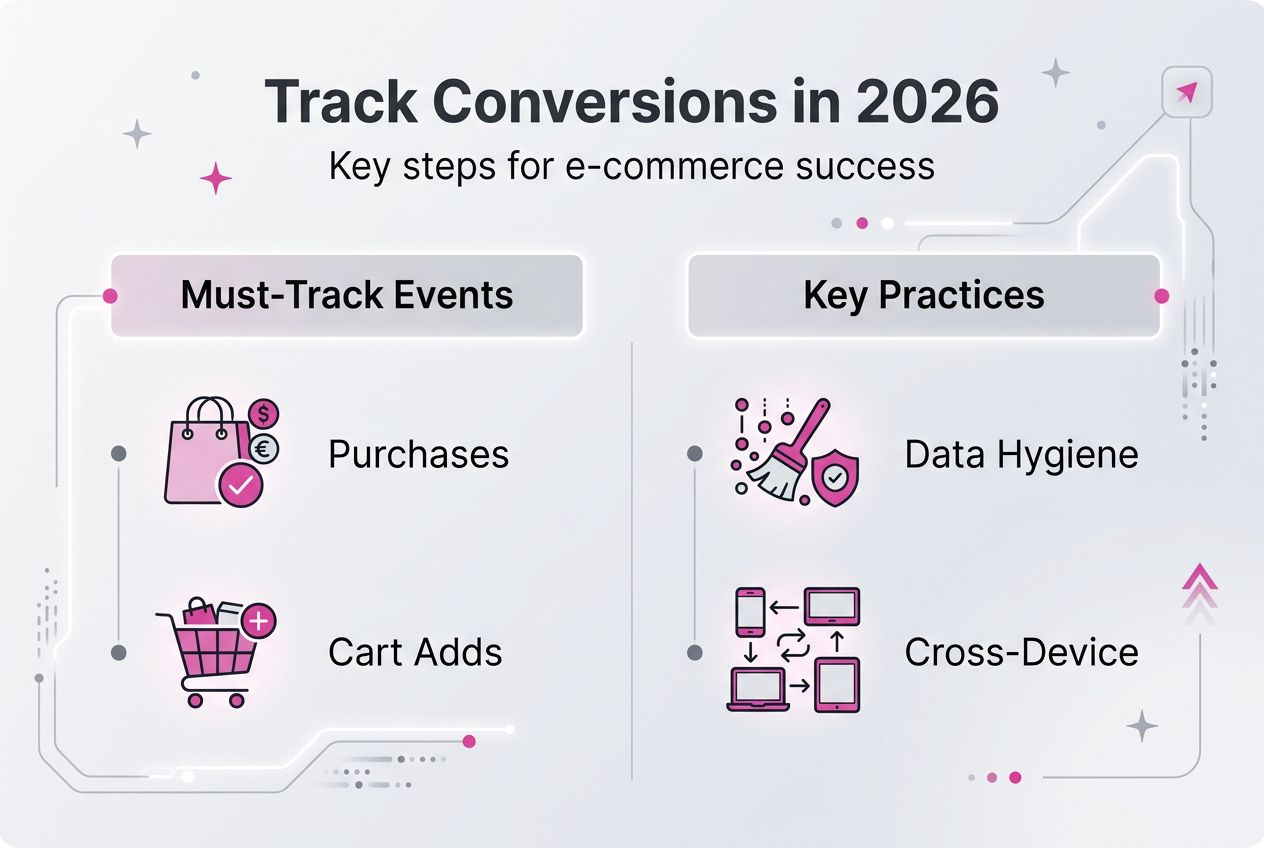
Pro Tip: Start by tracking these essential conversion events as your foundation: completed purchases with transaction value, add-to-cart actions, checkout initiations, newsletter subscriptions, account registrations, and product page views for high-value items. Layer on more sophisticated events like scroll depth and video engagement once your core tracking operates reliably.
Effective conversion tracking also supports strategies for reducing cart abandonment by identifying exactly where and why customers leave your funnel. When you can see that 40% of users abandon at the shipping cost reveal or 25% drop off during account creation, you gain specific, actionable targets for improvement rather than vague hunches about checkout friction.
Preparing your e-commerce platform for effective conversion tracking
Before implementing tracking codes, establish the technical foundation and tools that ensure accurate data collection. Your core toolkit should include Google Analytics 4 for comprehensive website analytics, Facebook Pixel for social media campaign tracking, Google Tag Manager for centralised tag deployment, and platform-specific plugins that simplify integration with Shopify, WooCommerce, or Magento. Each tool serves distinct purposes: GA4 provides detailed user journey analysis, Facebook Pixel enables precise ad targeting and attribution, whilst Tag Manager eliminates the need to manually edit website code for every tracking update.
Data hygiene and consistent naming conventions prevent the chaos that undermines tracking accuracy over time. 43% of CMOs believe less than half of their marketing data can be trusted, largely due to inconsistent event naming, duplicate parameters, and poor documentation. Before deploying any tracking, document your naming schema: will you use “purchase_complete” or “transaction_confirmed” for completed sales? Establish clear rules and enforce them across all platforms to ensure your conversion funnel optimisation tools can aggregate data meaningfully.

Tool | Primary Function | Best For |
Google Analytics 4 | Comprehensive user journey tracking and conversion attribution | Understanding customer behaviour across devices and channels |
Facebook Pixel | Social media campaign tracking and audience building | Optimising Facebook and Instagram advertising performance |
Google Tag Manager | Centralised tag deployment without code changes | Managing multiple tracking scripts efficiently |
Platform Plugins | Native integration with e-commerce platforms | Shopify, WooCommerce, and Magento automated tracking |
Your pre-setup checklist ensures compliance and technical readiness:
Implement GDPR-compliant cookie consent that properly blocks tracking scripts until users opt in
Configure privacy settings to anonymise IP addresses and respect user data deletion requests
Set up staging environment mirrors of your production site for safe testing
Audit existing tracking codes to identify and remove duplicates or deprecated scripts
Document current conversion rates and key metrics to measure tracking implementation impact
Establish data retention policies that balance analytical needs with privacy regulations
Pro Tip: Always test tracking implementations in staging environments before deploying to live sites. Use Google Tag Manager’s preview mode to verify tags fire correctly, check that conversion values pass through accurately, and confirm that privacy settings block tracking appropriately for users who decline cookies. This testing catches configuration errors that would otherwise corrupt your production data.
Integrating tracking with measuring SEO performance requires connecting organic search traffic to actual revenue, not just rankings or traffic volume. Proper conversion tracking reveals which keywords and landing pages generate profitable customers versus which simply attract browsers who never buy.
Step-by-step guide to setting up and tracking conversions
Implementing conversion tracking systematically ensures you capture all critical customer interactions without gaps or errors. Follow these steps for Google Analytics 4 and Facebook Pixel deployment:
Create your Google Analytics 4 property through the Analytics admin panel, selecting “E-commerce” as your industry category to enable enhanced measurement features automatically.
Install the GA4 base tracking code either directly in your website header or via Google Tag Manager, verifying the tag fires on all pages using Tag Assistant.
Configure enhanced e-commerce tracking by enabling the “purchase” event as a conversion, ensuring transaction ID, value, currency, and product details pass through correctly.
Set up Facebook Pixel through Business Manager, copying the pixel code into your website header or deploying it through Tag Manager for easier management.
Implement standard Facebook events for e-commerce: ViewContent, AddToCart, InitiateCheckout, AddPaymentInfo, and Purchase, matching each to the corresponding page or action.
Connect your payment processor or e-commerce platform to verify that conversion values match actual transaction amounts, identifying any discrepancies immediately.
Enable cross-domain tracking if your checkout process occurs on a separate domain, ensuring customer journeys remain connected across domain boundaries.
Configure conversion windows appropriately, typically 30 days for view-through conversions and 7 days for click-through, balancing attribution accuracy with credit inflation.
Naming conventions and event parameters create consistency that makes analysis possible. Use lowercase with underscores for all event names: “add_to_cart” not “AddToCart” or “add-to-cart”. Include these critical parameters with every purchase event: transaction_id, value, currency, tax, shipping, items (array of product details), and coupon if applicable. This standardisation allows you to aggregate data across platforms and time periods without manual reconciliation.
Critical conversion points requiring tracking tags:
Sales confirmation page with complete transaction details and revenue value
Add-to-cart button clicks capturing product ID, name, price, and quantity
Checkout initiation when users click “proceed to checkout” or similar buttons
Each checkout step completion, including shipping information, payment details, and order review
Newsletter signup forms and account registration completions
Product page views for high-value items or bestsellers to understand browse behaviour
Search result interactions showing which queries lead to purchases
Approach | Advantages | Disadvantages |
Manual code implementation | Complete control over tracking logic and custom parameters | Requires technical expertise and ongoing maintenance |
Automated platform plugins | Quick setup with minimal technical knowledge needed | Limited customisation and potential conflicts with themes |
Google Tag Manager | Centralised management and easy updates without code changes | Initial learning curve and complexity for advanced implementations |
Server-side tracking | Privacy-friendly and immune to ad blockers | Higher technical requirements and infrastructure costs |
Pro Tip: Implement cross-device tracking by enabling Google signals in GA4 and ensuring users remain logged into accounts throughout their journey. This connection reveals that customers often research products on mobile during commutes but complete purchases on desktop at home, fundamentally changing how you attribute conversions and allocate marketing budget.
Data-led marketing helps businesses increase ROI by 34% and reach audiences 35% more effectively, but only when tracking captures accurate, complete data. Integrate your conversion tracking with setting up remarketing to automatically build audiences of cart abandoners, product viewers, and past purchasers for targeted follow-up campaigns. Your e-commerce advertising strategies become exponentially more effective when informed by precise conversion data showing which products, audiences, and messages actually drive sales.
Verifying your conversion tracking and optimising results
Testing confirms your tracking implementation works correctly before you rely on the data for business decisions. Use Google Tag Assistant Chrome extension to verify tags fire on the correct pages with accurate parameters. Check GA4’s real-time reports whilst completing test purchases yourself, confirming that events appear immediately with correct values. Review the DebugView in GA4 to see detailed event parameters and identify any missing or malformed data. Cross-reference your analytics conversion counts against actual sales in your payment processor or e-commerce platform, investigating any discrepancies exceeding 5%.
Common tracking failures reveal themselves through specific symptoms you can diagnose systematically. Conversions appearing with zero value indicate the transaction value parameter is not passing through correctly. Duplicate conversions suggest multiple tracking codes firing for single events. Missing conversions despite confirmed sales point to tracking codes not firing at all, often due to page load timing issues or JavaScript errors. Geographic data showing impossible locations, like UK stores receiving 80% traffic from obscure countries, typically signals bot traffic or VPN usage skewing your data.
Interpreting conversion data changes requires context and benchmarks. The average e-commerce conversion rate across all retail niches is just 3.65%, meaning if your rate sits at 2%, you have substantial room for improvement through funnel optimisation. The average cart abandonment rate sits at around 70.22%, providing a baseline to assess whether your 75% abandonment rate represents a crisis or simply industry standard performance. Track week-over-week and month-over-month trends rather than fixating on daily fluctuations, which often reflect normal variance rather than meaningful changes.
Continuous data validation is not optional; it is the foundation of reliable decision-making. Set calendar reminders to audit tracking monthly, checking for broken tags, comparing analytics to actual sales, and reviewing data quality reports.
Optimisation tactics based on tracking insights transform data into revenue growth:
Identify high-traffic, low-conversion pages and A/B test headlines, images, and calls-to-action to improve performance
Analyse checkout funnel drop-off points and streamline steps where abandonment spikes occur
Build remarketing audiences from cart abandoners and product viewers for targeted recovery campaigns
Allocate marketing budget towards channels and campaigns showing highest conversion rates and customer lifetime value
Personalise product recommendations based on browsing patterns and purchase history captured through tracking
Optimise mobile experience after identifying device-specific conversion rate gaps
Test pricing strategies by tracking how promotional discounts affect conversion rates and average order values
Pro Tip: Implement A/B testing informed by conversion data to validate optimisation hypotheses rigorously. If tracking reveals that 60% of users abandon at shipping cost reveal, test free shipping thresholds against your current model, measuring the impact on both conversion rate and profit margin. Let data guide experimentation, then let experiments validate whether your data interpretations translate into actual business improvements.
Your tracking insights directly support cart abandonment strategies by revealing the specific friction points where customers leave. When you can see that mobile users abandon at 80% versus 65% on desktop, you gain a clear directive to prioritise mobile checkout optimisation over other potential improvements.
Enhance your e-commerce growth with our expert tracking solutions
Setting up comprehensive conversion tracking requires technical expertise, platform knowledge, and ongoing maintenance that many e-commerce teams struggle to manage alongside daily operations. Even minor configuration errors corrupt data quality, leading to misguided decisions that waste marketing budget and miss revenue opportunities. Our digital marketing specialists bring over 25 years of experience scaling successful e-commerce brands, implementing tracking systems that capture accurate, actionable data from day one.

We handle the entire implementation process, from initial audit and strategy through deployment, testing, and ongoing optimisation. Our team configures GA4, Facebook Pixel, and Tag Manager to work seamlessly together, eliminating tracking gaps whilst ensuring GDPR compliance. We establish the data foundations that power effective remarketing, precise ad targeting, and conversion rate optimisation. Explore our digital marketing solutions to discover how professional tracking implementation accelerates your e-commerce growth and maximises return on every marketing pound spent.
FAQ
What are the most important conversions to track for e-commerce?
Prioritise tracking completed purchases with full transaction details including revenue, tax, and shipping costs. Add-to-cart events, checkout initiations, and newsletter signups provide critical funnel visibility. Tailor additional tracking to your specific business model, such as account registrations for subscription services or quote requests for high-value B2B products.
How do I know if my conversion tracking is accurate?
Use Google Tag Assistant to verify tags fire correctly with proper parameters on all key pages. Compare your analytics conversion counts against actual sales recorded in your payment processor, investigating discrepancies exceeding 5%. Test conversions yourself across different devices and browsers, checking that events appear in real-time reports immediately. Schedule monthly audits to catch tracking degradation before it corrupts significant data.
Can conversion tracking help reduce cart abandonment?
Detailed tracking identifies exactly where customers drop off in your checkout funnel, revealing specific friction points to address. Cart abandonment rates average 70.22%, but tracking data enables targeted interventions like streamlined checkout steps, transparent shipping costs, and remarketing campaigns. Build audiences of cart abandoners for email and ad remarketing, using tracking data to personalise recovery messages based on abandoned products. Monitor how each optimisation affects abandonment rates through before-and-after tracking comparisons. Discover more cart abandonment insights to recover lost revenue systematically.
What should I do after setting up conversion tracking?
Review your analytics weekly to identify trends, anomalies, and opportunities for improvement. Use conversion data to optimise underperforming marketing campaigns, reallocating budget towards channels showing strongest ROI. Test new approaches like different ad creative, landing page designs, or checkout flows, measuring impact through conversion rate changes. Establish monthly data quality audits to verify tracking accuracy and catch configuration issues early.
Recommended
Comments