.png)
Optimise your content repurposing workflow for eCommerce


TL;DR:
Focus on high-engagement, evergreen, and brand-aligned content for effective repurposing.
Use a hybrid approach combining automation and human oversight to scale efficiently.
Regularly monitor workflow metrics and feedback for continuous content process optimization.
Scaling content output is one of the most persistent headaches for eCommerce marketing managers. You need fresh, on-brand material across email, social, product pages, and paid channels, but the team is already stretched. The result? Rushed posts, inconsistent messaging, and a growing gap between the content strategy you know you should have and the one you can actually execute. This guide walks you through a practical, evidence-backed workflow for repurposing content efficiently, covering how to identify the right assets, assemble the right tools, design a repeatable process, and measure what actually works.
Table of Contents
Key Takeaways
Point | Details |
Balance automation and human input | Combine AI-driven processes and strategic oversight so you scale content repurposing without sacrificing quality. |
Choose high-impact content | Audit your assets to select evergreen and high-engagement pieces for maximum repurposing results. |
Build a scalable workflow | Design processes that repeat reliably, blending automation for efficiency and human checks for consistency. |
Monitor and optimise | Regularly review analytics and feedback to refine your workflow and boost sales outcomes. |
Identify content repurposing opportunities
Before you repurpose anything, you need a clear picture of what you already have and which pieces are worth the investment. Not every blog post deserves a second life, and not every product guide will translate well into a short-form video. The selection process matters enormously, and skipping it is where most eCommerce teams waste time.
The content types that lend themselves most naturally to repurposing include:
Product guides and buying guides: These are rich in information, evergreen in nature, and can be split into social carousels, email sequences, FAQ sections, and video scripts.
Blog posts and editorial content: Long-form articles can be condensed into LinkedIn posts, email newsletters, Instagram captions, or even podcast talking points.
User-generated content (UGC): Customer reviews, unboxing videos, and testimonials are authenticity gold. Repurpose them across paid ads, product pages, and organic social.
Webinar recordings and live sessions: These often contain hours of valuable material that can be sliced into short clips, blog summaries, or downloadable guides.
When evaluating which pieces to prioritise, apply three core criteria. First, look at engagement data: which posts, pages, or emails generated the most clicks, shares, or conversions? These are your proven performers. Second, assess evergreen value: will this topic still be relevant in 12 to 24 months? Trend-based content has a short shelf life, but a guide on choosing the right product for a specific use case can serve you for years. Third, consider brand alignment: does the content reflect your current positioning, tone, and messaging? Outdated content that no longer reflects the brand needs updating before it can be repurposed effectively.
As a practical example, imagine a detailed buying guide for a kitchenware brand. That single asset could become a series of Instagram carousels (one slide per product category), a three-part email nurture sequence for new subscribers, a short YouTube video with product demonstrations, and a Pinterest board with linked product pages. That is five content assets from one original piece of work.

On the question of how to execute repurposing, there are three broad approaches worth comparing:
Approach | Speed | Brand consistency | Cost | Best for |
Manual | Slow | High | High | Small teams, premium brands |
Automated | Fast | Variable | Low | High-volume, templated content |
Hybrid | Moderate | High | Moderate | Scaling eCommerce brands |
As Shopify notes, automation suits repetitive tasks while strategic selection still relies on human judgement. Pairing both is the smarter approach for eCommerce marketers who need both speed and quality. Exploring AI marketing strategies in detail can help you understand where intelligent automation genuinely adds value, and understanding the broader AI role in marketing helps clarify which decisions should stay human.
Pro Tip: Run a quarterly content audit using a simple spreadsheet. Score each asset on engagement, evergreen value, and brand alignment on a scale of one to five. Anything scoring 12 or above is a strong candidate for repurposing. Anything below eight should be archived or updated before being touched.
Assemble your content repurposing toolkit
With a shortlist of high-potential assets identified, your next step is building the toolkit that will power your workflow. The right combination of tools will reduce manual effort, minimise errors, and make it far easier to scale without hiring a larger team.
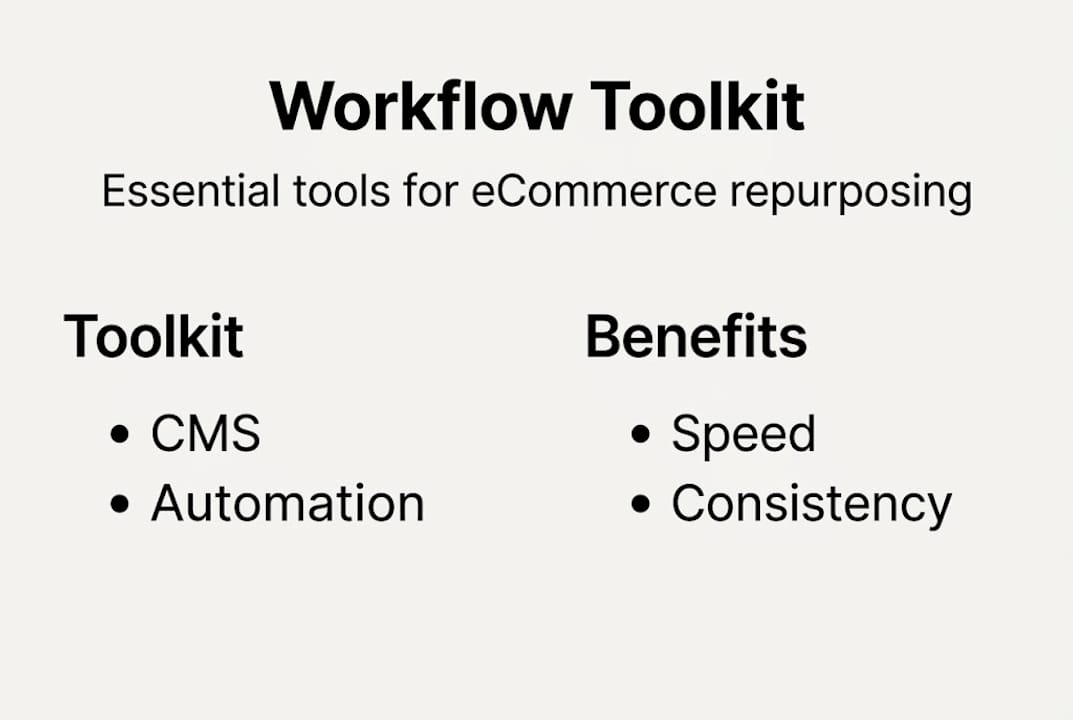
Here is a summary of the core tool categories every eCommerce content team should consider:
Tool category | Examples | Primary benefit | Key limitation |
Content management | Notion, Airtable, ContentCal | Centralised asset storage | Requires setup time |
Social scheduling | Buffer, Hootsuite, Later | Batch publishing across channels | Limited creative flexibility |
AI content generation | Jasper, Copy.ai, ChatGPT | Rapid first-draft creation | Needs human editing for brand voice |
Design automation | Canva, Adobe Express | Consistent visual templates | Creative ceiling is lower |
Analytics platforms | Google Analytics, Databox | Performance tracking | Data literacy required |
For eCommerce brands specifically, integration capability is non-negotiable. Your tools need to connect with your eCommerce platform, your CRM, and your email marketing software. A social scheduling tool that cannot pull product data from Shopify or WooCommerce creates unnecessary manual steps. Ease of use matters too, particularly when you are onboarding new team members or working with freelancers.
When assembling your toolkit, keep these considerations in mind:
Start lean: Two or three well-integrated tools will outperform a bloated stack of disconnected apps.
Prioritise templates: Tools that allow you to save branded templates (colours, fonts, tone guidelines) dramatically reduce per-asset production time.
Check API availability: If you plan to build a more automated workflow later, confirm your chosen tools offer open APIs or native integrations.
Evaluate support quality: When something breaks mid-campaign, fast and knowledgeable support is worth paying for.
Consider your team’s technical comfort: The best tool for a team with a developer is not the best tool for a team of brand managers.
Shopify’s own research confirms that automation streamlines repetitive tasks but brands must maintain quality through human oversight. That principle should guide every tool choice you make. Pairing AI drafting tools with a human editing step, for instance, gives you speed without sacrificing tone. If you want to go deeper on building an efficient AI content workflow, or explore how AI in advertising is changing paid content distribution, both are worth your time.
A quick checklist before you finalise your toolkit:
[ ] CMS or project management tool for asset tracking
[ ] Social scheduling platform with multi-channel support
[ ] AI drafting tool with custom tone settings
[ ] Branded design template library
[ ] Analytics dashboard connected to your key channels
Design a repeatable workflow for content repurposing
Having identified your best content and gathered your tools, the real work begins. A repeatable workflow is what separates teams that scale from teams that scramble. Without a documented process, every repurposing task starts from scratch and eats up time that should be going elsewhere.
Here is a six-step workflow that consistently delivers results for eCommerce marketing teams:
Audit: Review your existing content library against your selection criteria. Tag high-priority assets and note which formats they could be adapted into.
Ideate: For each selected asset, map out the specific derivative pieces you will create. A product guide might yield three social posts, one email, and one short video. Write this down explicitly.
Assign: Allocate tasks to the right people or tools. Formatting and scheduling can go to automation. Creative adaptation, brand voice review, and strategic decisions stay with humans.
Automate: Use your scheduling and AI tools to handle bulk production. Set up templates in advance so the output requires minimal editing. Batch your work where possible.
Review: Every piece of automated or AI-generated content must pass through a human review stage. Check for tone, accuracy, brand consistency, and any platform-specific nuances.
Publish and document: After publishing, record what was created, where it was distributed, and when it went live. This documentation becomes the foundation for future audits.
Where automation genuinely adds value is in steps four and six. Bulk scheduling, reformatting content to platform specifications, generating first drafts from outlines, and logging published assets are all tasks where tools outperform humans on speed and consistency. As Shopify’s content automation research shows, some teams prefer hybrid models to maintain quality rather than going full automation for volume.
Where human input is essential is in steps two, three, and five. Strategic decisions about which angle to take, which audience segment to address, and how to adapt your brand voice for a specific channel cannot be reliably automated. A tool does not understand that your brand speaks with dry humour on Twitter but warmly and practically in email. Your team does.
Documenting the workflow is not optional if you want to scale. Create a simple standard operating procedure that covers each step, lists the tools used, assigns roles, and includes example outputs. When you hire a new content coordinator or brief a freelancer, that document saves hours of onboarding. Explore practical social media tips for channel-specific guidance, and consider how AI in social media can help streamline your publishing steps further.
Pro Tip: Create a master content calendar that maps repurposed assets back to their original source. This prevents duplication, makes gaps obvious, and gives your team a clear picture of what is live, what is in production, and what is planned.
Monitor, optimise, and troubleshoot your content workflow
Even a well-designed workflow degrades without regular monitoring. The content landscape shifts, audience behaviour changes, and tools update their features. Treating your workflow as a fixed asset rather than a living system is one of the most common mistakes eCommerce marketing managers make.
The metrics that matter most for a repurposing workflow fall into three categories:
Engagement metrics: Likes, shares, saves, click-through rates, and time on page. These tell you whether repurposed content is resonating with its target audience on each platform.
Conversion metrics: Add-to-cart rates, email sign-ups from content, and direct revenue attribution. These connect your content activity to actual business outcomes.
Workflow efficiency metrics: Time per asset, revision cycles, and publishing accuracy. These reveal whether the process itself is running smoothly or creating bottlenecks.
Common errors to watch for, and how to fix them:
Bland, generic output: Usually a sign that automation has too much control. Reintroduce a human brief before the AI drafting stage.
Inconsistent brand voice across channels: Implement a brand voice checklist as part of the review step. Shared guidelines in a central document help enormously.
Publishing delays: Often caused by unclear ownership. Make sure every task in your workflow has a named owner and a deadline.
Underperforming repurposed content: Check whether the format matches the platform. A 1,000-word blog condensed into a single Instagram caption rarely works. Break it into a series instead.
Tool overload: If your team is spending more time managing tools than creating content, consolidate. Fewer, better-integrated tools almost always win.
Feedback loops are central to continuous improvement. Schedule a monthly 30-minute review where the team discusses what is working, what is not, and what should change. Make it structured: come with data, not opinions.
Recommended
Comments