.png)
How to set up UTM tracking for e-commerce ROI


TL;DR:
UTM parameters enable precise attribution of traffic sources and campaigns for better ROI analysis.
Consistent use of five standard UTM parameters with a shared naming convention improves data accuracy.
Proper UTM setup helps optimize marketing spend and campaign performance by providing clear insights.
Knowing which campaigns actually drive revenue is the difference between scaling profitably and burning budget on guesswork. Yet most e-commerce marketing managers in the UK and Ireland are working with incomplete attribution data, relying on platform-reported figures that rarely agree with each other. UTM parameters are short text codes appended to URLs that track the source, medium, and campaign of traffic in tools like Google Analytics 4, giving you a single, trustworthy version of the truth across every channel you run.
Table of Contents
Key Takeaways
Point | Details |
UTM tracking boosts insight | Adding UTM tags empowers accurate analysis of marketing channel performance and spend. |
Consistency is crucial | Documenting and standardising names prevents reporting errors and makes data actionable. |
Avoid common mistakes | Never tag internal links, and always match UTM parameters to your analytics platforms’ expected formats. |
Optimise based on data | Use campaign insights from UTM reports to shift budget and refine channel strategies. |
What is UTM tracking and why it matters for e-commerce ROI
UTM stands for Urchin Tracking Module, a legacy name from the analytics software Google acquired back in 2005. The concept is straightforward: you add a short string of parameters to any URL you share externally, and your analytics platform reads those parameters when a user clicks through. The result is precise, channel-level attribution that tells you exactly where your customers came from and which campaign prompted their visit.
There are five standard UTM parameters every e-commerce marketer should know:
utm_source — identifies where the traffic originates, such as "google, facebook, or newsletter`
utm_medium — describes the marketing channel type, such as cpc, email, or social
utm_campaign — names the specific campaign, such as summer_sale_2026
utm_term — captures the paid keyword that triggered the ad (primarily for search campaigns)
utm_content — differentiates between ad variations or links within the same campaign
The ROI argument for proper UTM tracking is compelling. Channel ROI data shows email marketing yields £36 to £42 for every £1 spent, Google Ads returns £2 to £4.50, and Meta Ads average £2.50 to £3.00 with a typical e-commerce ROAS of 2.87:1. Without UTM tracking, you cannot reliably calculate these figures for your own brand. You are essentially flying blind, unable to prove which channel deserves more budget.
“Without accurate attribution, every budget decision is an educated guess. UTM tracking converts guesswork into evidence.”
For UK and Ireland e-commerce brands specifically, the multi-channel nature of modern shopping makes this even more critical. A customer might discover you via a Meta ad, return through an email, and convert via a Google search. Proper UTM tagging, combined with setting up Google Analytics correctly, lets you see that full journey and attribute revenue with confidence.
Pro Tip: Start tracking UTMs on your highest-spend channels first. Even basic source and medium tagging on your Google Ads and email campaigns will immediately reveal attribution gaps you did not know existed.
Essential tools and requirements to start UTM tracking
Before you build a single tagged URL, you need the right foundations in place. Jumping straight into campaign tagging without a consistent system is how data fragmentation begins, and fragmented data is almost as useless as no data at all.
Here is what you need before you start:
Google’s Campaign URL Builder — a free tool that constructs UTM-tagged URLs without syntax errors
Google Analytics 4 (GA4) — your primary reporting destination for UTM data
Shopify or your e-commerce platform — most major platforms read UTM parameters natively
A shared naming convention spreadsheet — the single most underrated tool in the list
Your email service provider (ESP) — platforms like Klaviyo, Mailchimp, and Dotdigital support UTM defaults
Constructing a UTM-tagged URL follows a simple syntax: append a ? to your base URL, then add parameters separated by &. For example: https://yourstore.co.uk/?utm_source=facebook&utm_medium=social&utm_campaign=spring_sale_2026. Google’s Campaign URL Builder handles this automatically, which eliminates the most common source of syntax errors.
The naming convention spreadsheet is where most teams fall short. Consistent naming requires lowercase letters, hyphens or underscores instead of spaces, and agreed labels documented in a shared file to prevent data fragmentation. If one team member uses Email and another uses email, GA4 treats these as two separate mediums. Your reports become unreliable overnight.
Parameter | Correct format | Incorrect format |
utm_source | Facebook, FB, Meta | |
utm_medium | Email, E-Mail, eDM | |
utm_campaign | summer_sale_2026 | Summer Sale, summer sale 2026 |
utm_content | banner_blue | Banner Blue, blue banner |
Consider automating email marketing UTM tags through your ESP’s default UTM settings. Most platforms allow you to set campaign-level UTM defaults so every link in an email is automatically tagged without manual effort. This removes human error from your highest-volume channel.
Pro Tip: Create a master UTM naming document and share it with every team member and agency who touches your campaigns. Review it monthly and update it when new channels or campaign types are added.

Step-by-step: How to create and implement UTM-tagged URLs
Once your tools and conventions are in place, building and deploying UTM-tagged URLs is a repeatable process. Here is how to do it correctly across your main channels.
Define your parameters before you build. Decide on the source, medium, campaign name, and (if relevant) term and content values before opening any URL builder. Refer to your naming convention spreadsheet.
Use Google’s Campaign URL Builder. Enter your base URL and fill in each parameter field. The tool generates the full tagged URL automatically.
Shorten the URL if needed. Long UTM strings look unwieldy in social posts or SMS. Use a tool like Bitly to shorten while preserving the full parameter string intact.
Test in GA4 real-time reports. Before launching any campaign, test tagged URLs in GA4’s real-time reports to confirm the parameters are firing correctly. This takes two minutes and saves hours of troubleshooting later.
Apply to your campaign assets. Replace destination URLs in your ad platform, email template, or influencer brief with the tagged versions.
Document the tagged URLs. Add them to your naming convention spreadsheet alongside the campaign start date and channel for future reference.
The table below shows recommended parameter values by channel type:
Channel | utm_source | utm_medium | utm_campaign example |
Google Search Ads | cpc | brand_search_q1 | |
Meta Ads | paid-social | retargeting_aug26 | |
Email newsletter | klaviyo | weekly_digest_wk32 | |
Influencer post | influencer_name | social | gifting_sept26 |
Organic social | social | organic_product_launch |
A critical detail many marketers miss: match utm_medium to GA4 Default Channel Groupings such as cpc for paid search and email for newsletters. If your medium does not match GA4’s expected values, sessions get dumped into the “Unassigned” bucket, making your reports misleading.
For segmenting your email campaigns effectively, use utm_content to differentiate between links within the same email. A promotional email might have three different calls to action, and utm_content tells you which one drove the most clicks and conversions. When managing social ads with UTMs, use dynamic parameters where the platform supports them to auto-populate ad-level data at scale.
Pro Tip: Build a library of pre-approved UTM-tagged URLs for your most frequently used campaign types. Your team can copy and adapt these templates rather than building from scratch each time, which cuts errors significantly.
Common pitfalls and UTM tracking mistakes to avoid
The mechanics of UTM tracking are simple. The discipline required to maintain data quality over time is where most teams struggle. These are the mistakes that will quietly destroy your attribution data.
Never tag internal links. This is the most damaging error in UTM tracking. Tagging internal links overwrites correct attribution, so a customer who arrived via a Google Ad and then clicked an internally tagged link would appear to have come from whatever source you labelled that internal link. You lose the original attribution entirely.
Inconsistent capitalisation fragments your data. GA4 is case-sensitive. email and Email are two separate mediums in your reports. Over a quarter, this inconsistency can split your email traffic data into dozens of micro-segments that are impossible to analyse meaningfully.
Platform-specific naming matters more than you think. Use utm_source=facebook rather than meta for Meta Ads to match GA4’s social classification correctly. If you use meta, GA4 may not recognise the traffic as social, and it can disappear into unassigned or direct channels.
“Misapplied UTM parameters do not just create messy reports. They can overwrite 100% of referral channel data for key campaigns, making accurate attribution impossible.”
Do not tag organic social posts with cpc as the medium
Do not use spaces in any parameter value
Do not create new campaign names for every minor variation — use utm_content for that
Do not forget to capture UTMs in CRM forms via hidden fields for lead-based campaigns
Manual tagging risks inconsistencies that compound over time. Automate wherever possible and conduct a monthly audit of your GA4 acquisition reports to spot anomalies like duplicate sources or unexpected “Unassigned” spikes. If you are running retargeting campaigns, using retargeting with UTM parameters correctly ensures your remarketing audiences are built on clean, attributed data.
How to read results and optimise campaigns using UTM data
With well-structured UTM data flowing into GA4, the real work begins. Data without action is just storage. Here is how to turn UTM reports into optimisation decisions.
In GA4, navigate to Acquisition > Traffic Acquisition to view UTM data by source and medium. Use the dimension selector to switch between Session source/medium, Session campaign, and Session default channel grouping. This gives you a layered view of performance from broad channel down to individual campaign.
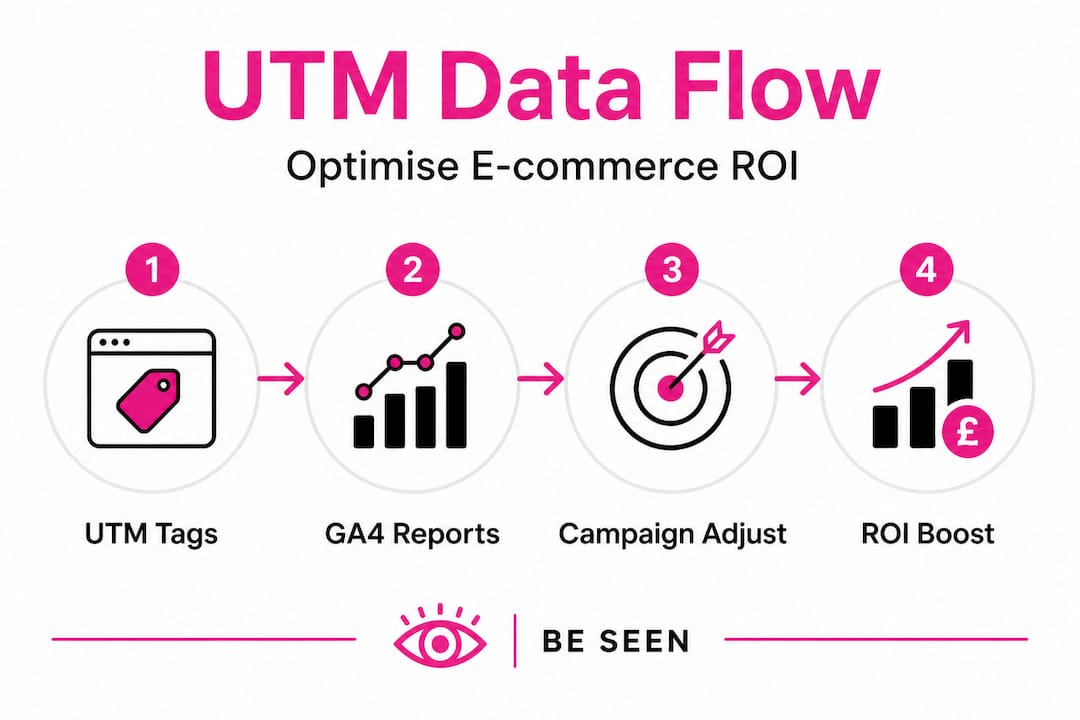
For Shopify merchants, UTM parameters work natively within Shopify’s marketing reports, bridging GA4 and platform analytics for a more complete picture. UK and Ireland e-commerce managers should prioritise this cross-platform view because it connects marketing spend directly to order revenue without relying solely on platform-reported ROAS.
Key actions to take with your UTM data:
Identify your highest-converting source/medium combinations and increase budget allocation there
Flag campaigns with high click volume but low conversion rates as candidates for landing page or offer testing
Compare utm_content performance within campaigns to identify which creative or copy angle resonates most
Set up custom reports in Looker Studio pulling GA4 UTM dimensions alongside revenue metrics for executive-level reporting
Use campaign-level UTM data to inform remarketing audiences, targeting users who engaged with specific campaigns but did not convert
Pro Tip: Build a monthly UTM performance review into your marketing calendar. Pull the top ten source/medium combinations by revenue, compare month-on-month, and use the findings to brief your next round of campaign budgets. This single habit compounds into significantly better allocation decisions over a full year.
Tracking e-commerce conversions accurately depends on clean UTM data feeding into your conversion events. When UTM tagging is consistent, you can confidently connect ad spend to revenue at the campaign level, which is the foundation of any serious campaign performance strategy.
Why less is more: The expert’s take on UTM tracking in 2026
Here is something we see repeatedly with e-commerce brands that have been tracking for a year or two: they have built elaborate, bespoke UTM structures that made sense to the person who designed them and nobody else. Fifteen custom parameters, campaign naming conventions that require a decoder ring, and reports that nobody in the business can actually interpret. More complexity, less insight.
Custom UTM parameters beyond the five standards require GA4 custom dimensions to surface in reports, adding configuration overhead and maintenance burden. Some advocates argue these unlock deeper segmentation. In practice, for the vast majority of UK and Ireland e-commerce brands, they create fragility without proportionate benefit.
Our view, built from over 25 years of scaling e-commerce brands, is that the five standard parameters handled consistently will outperform a sophisticated custom setup that is poorly maintained. Simplicity scales. Complexity breaks, usually at the worst possible moment, like mid-campaign during peak trading.
The brands we have seen get the most value from UTM tracking are not the ones with the most elaborate systems. They are the ones with a shared naming document, a monthly audit habit, and a genuine commitment to consistent tagging across every channel. That discipline, applied to the five standard parameters, gives you everything you need to make confident budget decisions.
If you want to go deeper on attribution, start with measuring SEO performance with UTMs to understand how organic search interacts with your paid and email channels. That cross-channel view is where the real strategic insight lives, and you do not need a single custom parameter to get there.
Take UTM tracking to the next level with expert support
You now have a solid foundation for implementing UTM tracking across your e-commerce campaigns. The principles are clear, the tools are accessible, and the ROI case is undeniable. But knowing the theory and executing it consistently at scale, across multiple channels, team members, and campaign types, are two very different challenges.

At I Want To Be Seen, we have spent over 25 years building and scaling e-commerce brands, and UTM tracking is embedded in everything we do across SEO, PPC, social media, and email. We help UK and Ireland e-commerce teams set up clean analytics foundations, automate UTM tagging, audit existing data quality, and build reporting dashboards that connect spend directly to revenue. Whether you are a D2C brand, a fast-scaling retailer, or a B2B e-commerce operation, we can help you turn your UTM data into confident, profitable decisions. Get in touch to find out how we can support your next campaign.
Frequently asked questions
What are the five standard UTM parameters?
The five standard UTM parameters are utm_source, utm_medium, utm_campaign, utm_term, and utm_content. The first three are required for basic tracking; utm_term and utm_content are optional but valuable for paid search and creative testing.
Can I use UTM tags for internal links on my website?
No. Tagging internal links overwrites the original referral source, destroying accurate attribution for any session where a visitor clicks an internally tagged link.
How should I name UTM sources and mediums for best results?
Always use lowercase letters and hyphens or underscores instead of spaces, and document your naming conventions in a shared spreadsheet to prevent data fragmentation across your reports.
What is a typical ROI for e-commerce channels tracked by UTMs?
Average channel returns are £36 to £42 per £1 spent on email, £2 to £4.50 for Google Ads, and £2.50 to £3.00 for Meta Ads. UTM tracking lets you calculate these figures for your own brand specifically.
How can I automate UTM parameter creation for email or ads?
Automating UTM parameters through your ESP’s default settings or ad platform’s dynamic parameter insertion removes manual errors and ensures every link is tagged consistently without relying on individual team members to remember.
Recommended
Comments