.png)
How to set up Google Analytics for UK and Ireland eCommerce


Setting up Google Analytics correctly can make or break your eCommerce marketing efforts. Many UK and Ireland online retailers struggle with inaccurate data, missing conversion tracking, and compliance headaches that undermine their ability to optimise campaigns and boost sales. This guide walks you through every step of preparing, installing, and verifying your GA4 setup so you can finally trust your analytics data and make informed decisions that drive real revenue growth.
Table of Contents
Key Takeaways
Point | Details |
Regional GA4 setup UK | Create your GA4 property with GMT time zone for UK and Ireland, GBP or EUR currency, and choose eCommerce as the business category to reflect local performance. |
Consent Mode GDPR | Implement Consent Mode v2 with analytics_storage ad_storage ad_user_data and ad_personalization using a certified consent management platform, with defaults set to denied until consent. |
GTM for events | Use Google Tag Manager to track multiple eCommerce events without constant code edits, and secure your GTM container ID and admin access. |
Plan essential events | Prepare a comprehensive list of events such as add to cart begin checkout and purchase to drive meaningful insights for UK and Ireland campaigns. |
Staging and production | Set up separate GA4 properties for staging and production to test tracking changes without contaminating live data. |
Preparing your Google Analytics setup for UK and Ireland eCommerce
Before diving into installation, you need to establish the right foundation. Creating your GA4 property involves signing into analytics.google.com, accessing Admin, creating an account if needed, then a property with appropriate time zone such as GMT for UK and Ireland, currency like GBP or EUR, and business category as eCommerce. These regional settings ensure your reports reflect the actual timing and value of transactions in your market, not some distant time zone that skews your daily performance data.
Getting your business category right matters more than most people realise. When you select eCommerce during property creation, Google Analytics tailors its interface and suggested reports to retail metrics like average order value, cart abandonment, and product performance. You will see relevant dimensions and metrics without having to customise everything from scratch.
Pro Tip: Set up separate GA4 properties for staging and production environments so you can test tracking changes without polluting live data.
GDPR compliance is non negotiable for UK and Ireland businesses. Implementing Consent Mode v2 requires configuring parameters including analytics_storage, ad_storage, ad_user_data, and ad_personalization, using a certified consent management platform for GDPR compliance, and setting defaults to denied until user consent. This approach respects customer privacy while still allowing you to model conversions and maintain useful analytics when users decline cookies.
Choosing the right consent management platform saves headaches later. Look for solutions certified by Google that integrate seamlessly with GA4 and handle the technical implementation of Consent Mode automatically. Popular options include OneTrust, Cookiebot, and Usercentrics, each offering templates specifically designed for UK and Ireland legal requirements.
Google Tag Manager becomes essential when you need to track multiple events without constantly editing your website code. Gather your GTM container ID and ensure you have admin access before starting installation. You will also want to prepare a comprehensive list of eCommerce events to implement, prioritising those that directly impact your UK and Ireland eCommerce marketing strategy such as add to cart, begin checkout, and purchase.
Here is what you need before starting:
Admin access to Google Analytics and Google Tag Manager accounts
Your website platform credentials for adding tracking codes
A certified consent management platform subscription
Documentation of your current conversion goals and KPIs
List of product categories and custom dimensions you want to track
Preparation item | Estimated time | Difficulty |
Create GA4 property with regional settings | 15 minutes | Easy |
Set up Google Tag Manager container | 20 minutes | Easy |
Implement consent management platform | 2-4 hours | Medium |
Document tracking requirements | 1-2 hours | Easy |
Gather access credentials | 30 minutes | Easy |
With your account configured and compliance tools ready, you can now move forward to the actual installation process where you will connect GA4 to your eCommerce platform and configure the events that capture customer behaviour.
Step by step execution: installing GA4 and tracking key eCommerce events
You face a critical decision when installing GA4: using the direct gtag snippet or Google Tag Manager. The direct gtag approach involves adding a JavaScript snippet to your site’s head section, which works fine for basic page view tracking but becomes unwieldy when you need to track multiple eCommerce events. Google Tag Manager offers superior flexibility for eCommerce sites requiring complex event tracking, allowing you to add, modify, and test tags without touching your website code.
For most UK and Ireland eCommerce businesses, GTM is the clear winner. You can update tracking configurations instantly, roll back changes if something breaks, and manage multiple marketing tags from one centralised interface. The initial setup takes slightly longer, but the long term benefits far outweigh the extra 30 minutes of configuration.

Installation method | Pros | Cons | Best for |
Direct gtag snippet | Quick initial setup, no additional tools | Hard to modify, requires code changes, limited flexibility | Very small stores with basic tracking needs |
Google Tag Manager | Easy updates, no code changes, powerful testing | Slightly longer initial setup, requires learning GTM interface | Any serious eCommerce business |
Here is how to install GA4 via Google Tag Manager:
Create a GTM account at tagmanager.google.com and set up a container for your website
Add the GTM container code to your website’s head and body sections
In GTM, create a new tag and select Google Analytics GA4 Configuration
Enter your GA4 Measurement ID from your property settings
Set the trigger to All Pages so the tag fires on every page load
Click Submit and publish your container to make the changes live
Verify the tag is firing using GTM Preview mode and check real time reports in GA4
Pro Tip: Use GTM’s built in variable for Page URL and Page Path to automatically capture navigation data without custom coding.
Enhanced Measurement provides automatic tracking for common interactions like page views, scrolls, outbound clicks, site search, video engagement, and file downloads. Enable it in your GA4 property settings to capture this baseline data without any additional configuration. You can toggle individual events on or off depending on what matters for your business.
Now comes the crucial part: implementing key eCommerce events including view_item, view_item_list, select_item, add_to_cart, remove_from_cart, begin_checkout, add_shipping_info, add_payment_info, purchase, and refund, using strict GA4 schema with items array including item_id, item_name, price, and quantity. This schema ensures your data integrates properly with Google’s reporting interface and allows for advanced analysis of product performance.
Each event requires specific parameters to be useful. The purchase event, for instance, needs transaction_id, value, currency, tax, and shipping alongside the items array. Missing any of these parameters means incomplete data that limits your ability to calculate accurate metrics like return on ad spend or customer lifetime value.
Setting up these events typically involves working with your eCommerce platform’s data layer or using GTM’s eCommerce integration. Shopify, WooCommerce, Magento, and other major platforms offer plugins or built in support for pushing eCommerce data to GTM in the correct format. If you are on a custom platform, you will need a developer to structure the data layer according to GA4’s requirements.
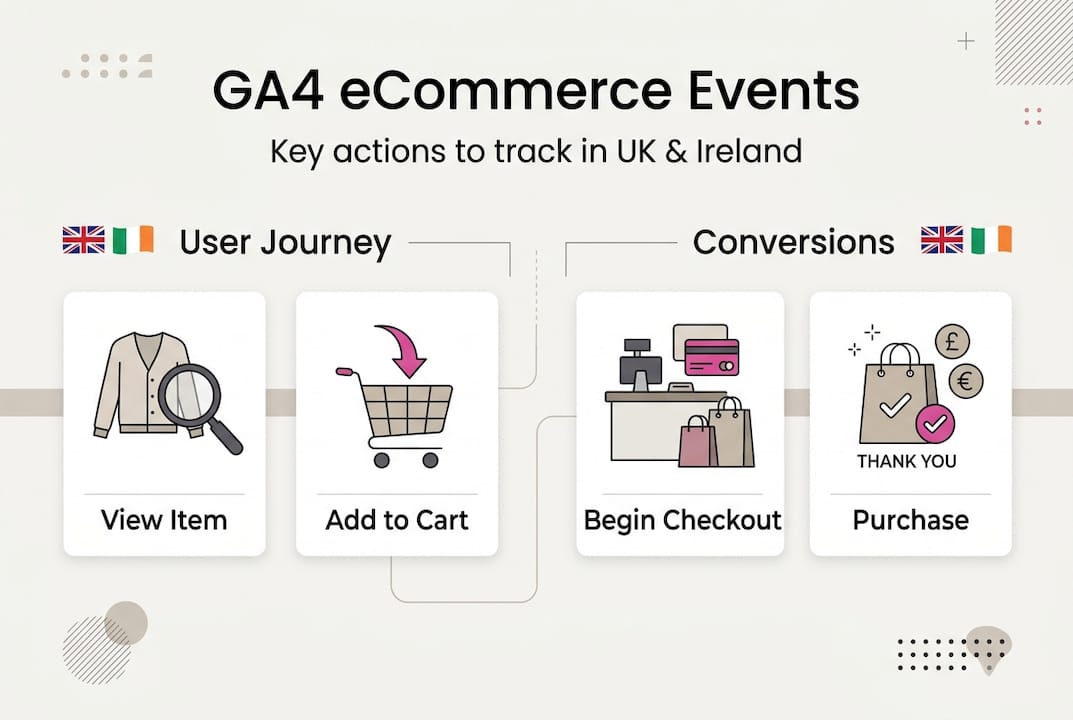
Mark your purchase event as a key event in GA4 by navigating to Configure, then Events, and toggling the key event switch next to purchase. This designation tells Google Analytics that purchases represent your primary conversion goal, affecting how the system calculates conversion rates and attributes traffic sources.
For deeper insights into how these events connect to your overall eCommerce analytics strategy and SEO performance measurement, consider how each touchpoint in the customer journey contributes to final conversions. The data you collect through proper event tracking becomes the foundation for optimising every aspect of your marketing mix.
With installation complete and events configured, the next critical step is verifying that everything works correctly and understanding how to interpret the data for ongoing optimisation.
Verifying your GA4 setup and benchmarking for ongoing optimisation
Installing GA4 is only half the battle. You need to verify that your tracking captures accurate data before making business decisions based on the reports. Comparing GA4 sales data with backend records and aiming for less than 10 to 20 percent discrepancy provides the clearest indicator of tracking accuracy, with UK and Ireland eCommerce benchmarks showing conversion rate variability by sector with global average at 1.7 percent.
Some discrepancy is normal and expected. Customers who use ad blockers, browsers with strict privacy settings, or multiple devices create gaps in tracking that no analytics platform can completely eliminate. Refunds processed after the initial transaction also create temporary mismatches until both systems update. What matters is keeping these differences within an acceptable range that does not materially affect your decision making.
Start your verification by running a test purchase through your entire checkout flow. Watch the real time reports in GA4 as you add products to cart, proceed through checkout, and complete payment. Each event should appear within seconds. If you see gaps or missing events, check your GTM configuration and ensure the data layer pushes information at the right moments.
Here is your verification checklist:
Complete test purchases appear in real time reports within 60 seconds
Transaction values match exactly between GA4 and your order management system
Product names, IDs, and categories display correctly in eCommerce reports
Consent Mode parameters update appropriately when users accept or decline cookies
Key events register correctly and appear in your conversions report
Traffic sources attribute properly across different marketing channels
Understanding sector specific benchmarks helps you contextualise your performance. Fashion and apparel typically see conversion rates around 2.5 percent, while electronics hover near 1.5 percent and home and garden reach approximately 2 percent. These figures vary significantly based on traffic quality, average order value, and competitive positioning, but they provide a starting point for evaluating whether your store performs above or below industry norms.
Industry sector | Average conversion rate | Average order value | Cart abandonment rate |
Fashion and apparel | 2.5% | £75-£95 | 68% |
Electronics | 1.5% | £180-£250 | 72% |
Home and garden | 2.0% | £95-£140 | 70% |
Health and beauty | 2.8% | £45-£65 | 65% |
Food and drink | 3.2% | £55-£85 | 62% |
Case studies demonstrate that proper GA4 setup yields 90 percent or higher data accuracy and 91 percent margin growth for Irish direct to consumer brands, proving the return on investment of expert implementation. These results come from having reliable data that reveals exactly which marketing channels, products, and customer segments drive profitable growth.
Adjust your marketing strategy based on verified analytics insights. If GA4 shows that organic search drives 40 percent of revenue but receives only 15 percent of your marketing budget, you have a clear opportunity to reallocate resources. When product category reports reveal that certain items have high add to cart rates but low purchase completion, you can investigate pricing, shipping costs, or checkout friction that might be causing abandonment.
Regularly audit your setup every quarter to catch configuration drift. Tags get accidentally modified, new products launch without proper tracking parameters, and platform updates sometimes break integrations. Schedule recurring checks of your key metrics against backend data to spot problems before they compromise months of analytics data.
For comprehensive guidance on leveraging these insights within your broader eCommerce marketing approach, focus on connecting analytics data to actionable optimisation opportunities across your entire customer acquisition and retention strategy.
With your GA4 setup verified and benchmarked, you are positioned to make data driven decisions that improve performance. The next step is ensuring you have the ongoing support and expertise to maximise these analytics capabilities.
Enhance your eCommerce analytics with expert support
Navigating GA4’s complexity whilst running a growing eCommerce business stretches even the most capable teams thin. Working with specialists who understand both the technical implementation and strategic application of analytics data ensures your setup delivers reliable insights that directly improve marketing performance and sales outcomes.

At Be Seen, we bring over 25 years of eCommerce experience to every analytics implementation. We have scaled multiple successful online retail brands and understand exactly which metrics matter for UK and Ireland businesses. Our team handles the technical setup whilst providing strategic guidance on how to interpret your data and apply insights across SEO, paid advertising, and conversion optimisation. Whether you need a complete GA4 implementation from scratch or want to audit and improve an existing setup, we ensure your analytics foundation supports sustainable growth. Explore our comprehensive eCommerce marketing services to see how data driven strategies transform online retail performance.
Let’s address the most common questions about GA4 setup to clarify any remaining uncertainties.
Frequently asked questions
How do I set the correct time zone and currency for my GA4 property?
Navigate to Admin in your GA4 property, select Property Settings, and choose GMT as your time zone with GBP or EUR as your reporting currency depending on your primary market. This ensures reports reflect actual business hours and transaction values without confusing currency conversions. You cannot change these settings after creating the property, so verify them carefully during initial setup.
What are the essential eCommerce events I should track with GA4?
Focus on core purchase funnel events including view_item, add_to_cart, begin_checkout, purchase, and refund, along with detailed item data such as product ID, name, price, and quantity. These events provide complete visibility into customer behaviour from browsing to purchase completion. Start with these fundamentals before adding advanced events like view_promotion or select_promotion that track marketing campaign interactions.
How can I ensure GDPR compliance with my GA4 setup?
Implement Consent Mode v2 parameters including analytics_storage, ad_storage, ad_user_data, and ad_personalization using a certified consent management platform, defaulting all parameters to denied until users provide explicit consent. This approach allows GA4 to model conversions using aggregate data whilst respecting individual privacy choices. Regularly audit your consent implementation to ensure it remains compliant as regulations evolve.
Why might there be discrepancies between GA4 and backend sales data?
Differences within 10 to 20 percent are normal due to tracking limitations from ad blockers, refund processing delays, and attribution model differences between systems. GA4 uses last click attribution by default whilst your backend records all completed transactions regardless of tracking. Focus on trends and relative changes rather than expecting perfect alignment between systems.
Recommended
Comments